
Document Inbound is the essential extension for Document Central, streamlining the handling and filing of incoming documents directly into Business Central. Harness AI to automate document processing, record creation, and ensure every document is accurately matched and archived. Make your daily business faster and easier.
✅ Document Inbound can only be used in combination with Document Central.


Let AI handle incoming documents: classify, file, create and update records in Business Central with minimal effort. The Smart Processing feature for Document Inbound can automatically extract data from files and email body texts and use this information to handle the documents and to create or update records in Business Central.

Directly connect and archive documents to the correct targets in Business Central based on different criteria. e.g:
- QR and barcodes
- filename
- email sender via Domain Matching
- email subject

Document Inbound can monitor a users or a shared inbox in Microsoft Outlook and automatically process the retrieved emails and attachments. Emails and attachments are transfered to an Inbound List where the entries are processed in Business Central.

Onboarding in minutes with complete Guided Experience. Get started in just a few minutes or adjust to your requirements fast.

With Document Inbound you can not only process, archive and create standard records of Business Central but also non-standard records and files too. Users of a vertical solution benefit from this the most, as you can cerate and update records from the industry solution as easy as standard reports.

Define what you want to extract and based on what criteria records should be processed, matched and archived. Your processes are unique and Document Inbound can adjust to your requirements.
With Smart Processing, Document Inbound brings AI document processing to Business Central

Extract key information from PDFs, XML and emails – for example vendor, customer, amounts, dates and line items.
Automatically create records like purchase invoices or sales orders in Business Central from the extracted data, or update existing records.
Use a content understanding service and classifier to detect document types and assign metadata more accurately, even with mixed document sets.
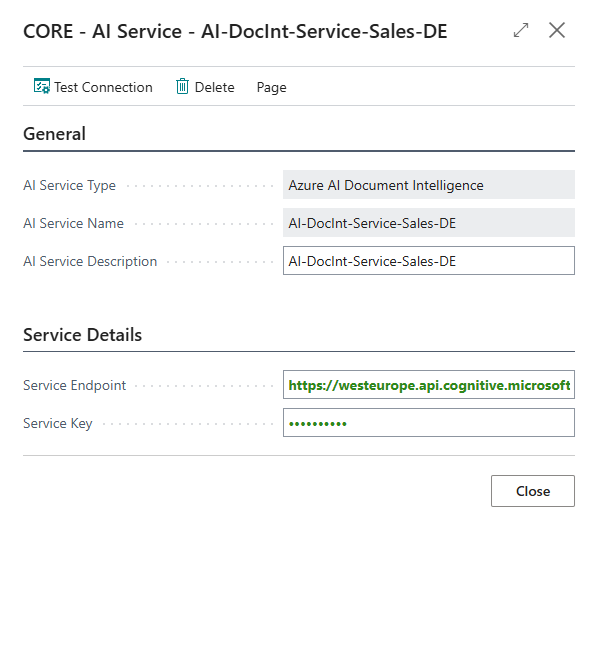
With Document Inbound, you can connect your own AI service via secure endpoints, so you’re always in control of how and where your documents are processed. This approach ensures that sensitive information never leaves your organization.
Seamless integration means you can combine powerful automation with maximum security, all while keeping sensitive content within your own infrastructure and never exposing it to third parties. Take full advantage of AI-driven document management on your terms, with your data, and under your control.
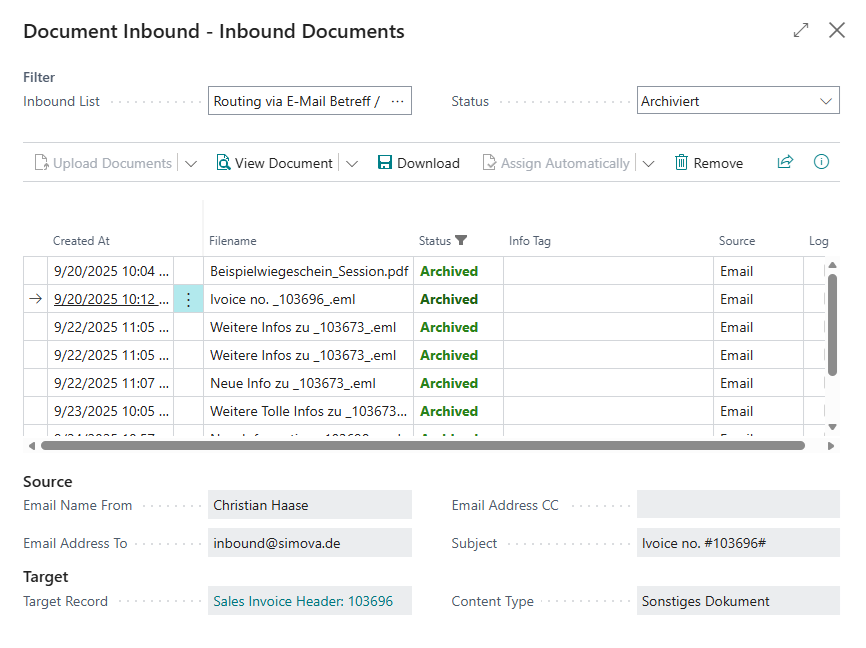
Document Inbound captures documents from email, scanners and other sources and sends them into Business Central. It recognizes QR and barcodes, filenames and email sender or subject to find the right record. Everything ends up in Document Central, your document management system for Business Central.
Automate your business processes with Document Inbound for Document Central. Our detailed documentation for Document Inbound provides you valuable insights to unlock its full potential. Discover best practices, integration guides, and tips to optimize workflows and boost efficiency.





Simova GmbH
Stockholmer Allee 30a
44269 Dortmund
Simova GmbH
Stockholmer Allee 30a
44269 Dortmund

